May 14, 2026 • Renaissance Nashville Hotel • Nashville, TN
Join us for a full day of focused, hands-on Eclipse training designed to improve your realtime performance and overall workflow.
Review the seminar lineup below and choose the sessions that matter most to you, or take advantage of bundle pricing for the best value.
Click here for more information about the Unity Summit.
Pricing Options
| Option | Details | Regular | Unity Pricing |
|---|---|---|---|
| Individual 1.5-hour sessions | Choose any 1.5-hour seminar individually | $75.00 | $29 each |
| Individual 3-hour session | Speechmatics for Vox: Realtime Voice Writing Theory | $150.00 | $69 |
| All Methods Bundle Most Popular | 3 sessions (all except Speechmatics for Vox) | 4.5 hours | $225.00 | $69
Save $156
|
| Voicewriter Full Pass Best Value | All 4 sessions | 7.5 hours | $375.00 | $119
Save $256
|
May 14, 2026
Audio Capture Best Practices
Master the recording, playback, monitoring, and synchronization tools that help you capture better audio and work more efficiently in Eclipse.
Date/Time: May 14, 2026 | 8:00 - 9:30 AM
Credit: 1.5 hours (AAERT, NCRA & NVRA)
Level: All Levels
Audience: All Methods
Overview
This event is dedicated entirely to the audio recording, playback, monitoring, and synchronization tools that revolutionize how court reporters, captioners, and transcription professionals capture and manage audio in Eclipse.
Attendees will gain an understanding of how to optimize settings for various recording environments for the best results possible. High-quality audio is critical to all capture methods to obtain the best possible results from speech engine features like Boost, Boost Flow, Boost Edit, Eclipse RSR, and EclipseVox with Speechmatics.
Learning Objectives
Participants will be able to:
Advanced Recording Controls
- Hardware recommendations – Identify the best audio recording equipment for your workflow.
- Hardware configuration – Configure recording devices in Eclipse for optimal results.
- Real-world scenarios – Apply best practices for in-person and remote environments, including Zoom.
Playback and Monitoring
- Alternative Playback – Create different playback profiles for scoping and review.
- Multiple Devices – Assign unique playback roles for better control.
- Live Monitoring – Check audio quality before recording begins.
- Channel Control – Manage multi-channel audio playback independently.
Synchronization & Efficiency
- Time Warp Playback – Slow audio without distortion to follow fast speakers.
- Sync Improvements – Reduce manual adjustments when reviewing transcripts.
- Auto Sync – Automatically correct minor drift in long recordings.
- Auto-Hide Audio Bar – Keep your workspace clean and distraction-free.
Instructor

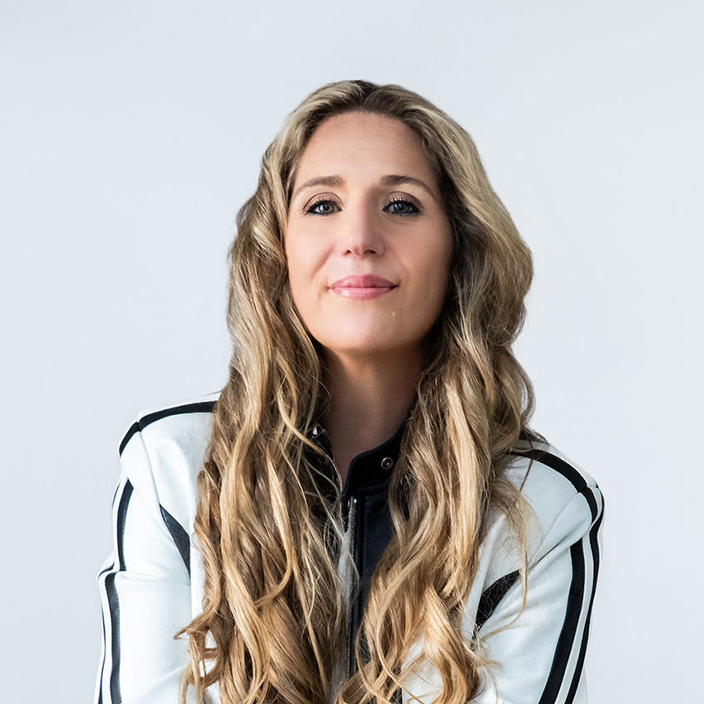
Ashli Van Dyke
Ashli was born and raised in Phoenix, Arizona, moving to Florida and joining the Advantage Software team in 2010. She began in tech support and quickly earned a reputation as a go-to expert for complex Eclipse questions and innovative ideas.
Over the years, she has worked closely with the Eclipse development team and played a key role in multiple version releases. Her experience spans product research, quality assurance, technical writing, and customer education.
Ashli also manages and produces all video content on Advantage Software’s official YouTube channel, where she shares weekly updates on Eclipse, Bridge Mobile, and more.
Boost Workflows
Learn how to properly configure and use Boost, Boost Flow, and Boost Edit as part of a complete Eclipse reporting workflow.
| Date/Time | May 14, 2026 | 9:45 - 11:15 AM |
| Credit | 1.5 hours (AAERT, NCRA & NVRA) |
| Level | All Levels |
| Audience | All Methods |
Overview
This event prepares both steno and voice writing Eclipse users to properly configure and use Boost, Boost Flow, and Boost Edit as part of a complete reporting workflow.
Building on Unity sessions focused on audio configuration and translation preparation, this training brings those components together, demonstrating how to achieve optimal results with Boost and develop a clear, working understanding of each workflow.
Participants will leave with the ability to confidently implement these features in realtime and post-production environments while maintaining full control over transcript accuracy and output.
Learning Objectives
Participants will be able to:
Boost
- Configure Boost settings – Set up Boost properly, including speech engine configuration.
- Speech engine connection options – Configure connection settings for the best workflow results.
- Understand the role of Boost – Explain how Boost functions as a background scoping assistant and how it differs from traditional translation and editing workflows.
- Translation interaction – Identify how Boost interacts with translation output, including confidence scoring and contextual correction behavior.
Boost Flow
- Enable and configure Boost Flow – Understand its role in the realtime pipeline.
- Differentiate Boost and Boost Flow – Distinguish between automatic background correction and user-controlled suggestion handling.
- Operate in a live environment – Accept, reject, and navigate suggestions efficiently.
- Use realtime commands and macros – Maintain forward momentum without disrupting writing rhythm.
- Interpret suggestions – Understand how Flow suggestions are generated from speech data and context analysis.
- Maintain transcript control – Leverage Flow as a guided assistive layer rather than an automated correction system.
- Build confidence in usage – Know when to use Boost Flow text and when to write naturally.
Boost Edit
- Initiate and configure Boost Edit – Prepare post-session transcript refinement properly.
- Compare transcript text to speech data – Understand how discrepancies are identified.
- Use Boost Edit tools – Review suggested corrections, mark differences, and apply changes selectively.
- Generate and interpret supporting materials – Work with comparison outputs, markings, and data PDFs.
- Integrate into a full production workflow – Use Boost Edit from rough draft through final transcript.
- Evaluate suggestions critically – Ensure transcript integrity and professional accuracy.
Instructor
Translation Optimization: Making Eclipse Work for You
Optimize your translation environment to improve accuracy, reduce cleanup, and create a stronger foundation for Boost technologies.
| Date/Time | May 14, 2026 | 11:30 AM - 1:00 PM |
| Credit | 1.5 hours (AAERT, NCRA & NVRA) |
| Level | All Levels |
| Audience | All Methods |
Overview
Before working with Boost, Boost Flow, and Boost Edit, it is essential to ensure that your translation environment is optimized for accuracy and efficiency. This session focuses on improving how Eclipse processes and translates your input, allowing the software to compensate for inconsistencies and reduce the need for manual cleanup.
Attendees will learn how to configure and refine key translation tools within Eclipse, including Stroke Transformations, dictionary management strategies, number conversion settings, and Auto-Brief. The session emphasizes practical, workflow-driven techniques that improve translation consistency without requiring changes to individual writing style.
By strengthening the interaction between user input and software behavior, participants will produce cleaner realtime output, reduce editing time, and create a more stable foundation for leveraging Boost technologies effectively.
Learning Objectives
Participants will be able to:
- Identify inconsistencies – Recognize common sources of translation inconsistency and apply corrective strategies within Eclipse settings and dictionaries.
- Stroke Transformations – Implement transformations to automatically resolve frequent misstrokes prior to translation.
- Dictionary optimization – Organize and refine dictionaries to improve translation consistency and alignment with Boost processing.
- Number conversion – Configure number settings and templates for accurate and predictable numeric output.
- Auto-Brief usage – Utilize Auto-Brief to improve efficiency without introducing unnecessary complexity.
- Realtime improvement techniques – Apply practical strategies that reduce cleanup and enhance output quality.
- Boost integration awareness – Explain how optimized translation improves the performance of Boost, Boost Flow, and Boost Edit.
Instructor
Speechmatics for Vox: Realtime Voice Writing Theory
Maximize recognition accuracy with optimized hardware, settings, and vocabulary strategies for Speechmatics and Vox.
| Date/Time | May 14, 2026 | 2:00 - 5:00 PM |
| Credit | 3 hours (AAERT & NVRA) |
| Level | All Levels |
| Audience | Voice Writers |
Overview
This comprehensive session is designed for reporters seeking to maximize performance using Speechmatics for Vox. Attendees will learn recommended hardware configurations, optimal engine and system settings, and best practices for achieving consistent, high-quality recognition.
A deep dive into vocabulary building will cover strategies for creating, managing, and refining vocabularies to continually improve accuracy. By the end of the session, participants will have a clear framework for building and maintaining high-performing vocabularies for shorthand reporting.
Learning Objectives
Participants will be able to:
- Hardware optimization – Identify recommended hardware configurations for Speechmatics and Vox.
- System tuning – Optimize system and engine settings for improved recognition performance.
- Vocabulary development – Build and maintain effective vocabularies for long-term accuracy and consistency.